
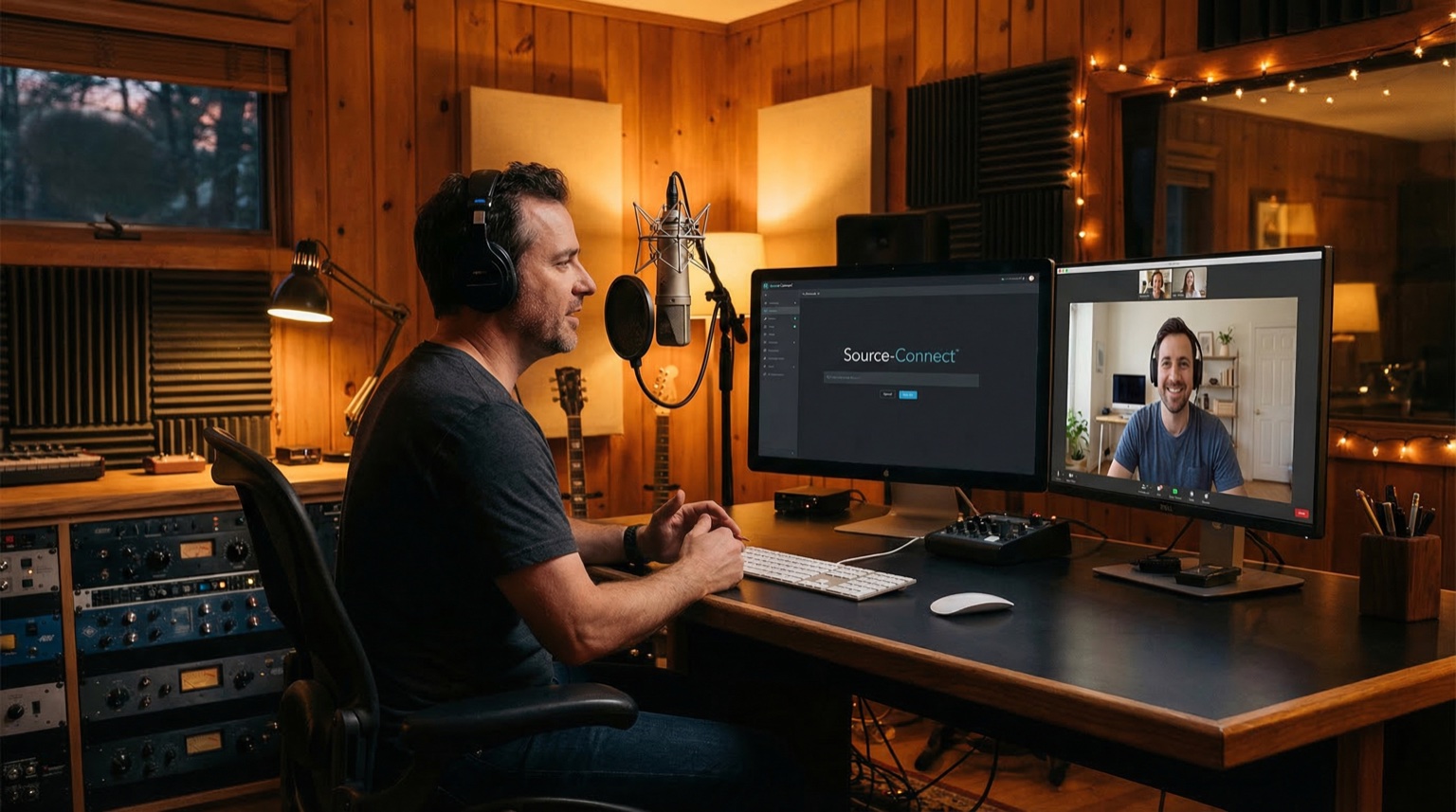
Most people assume a remote session means compromised audio. The opposite is true — you get the studio without the travel. Source-Connect and Cleanfeed give you real-time listening in full quality while I record locally in my treated room. You hear exactly what the microphone hears, and you direct the session as if you were sitting next to me.
Key points at a glance
- Remote voice over recording delivers the same audio quality as an in-person session. The recording always happens locally.
- Source-Connect Pro sends uncompressed audio in real time. It requires a plugin on both ends.
- Cleanfeed requires only a web browser on your side. No installation, no configuration.
- You can direct live: give notes, request retakes, adjust tempo — exactly like a traditional session.
- Latency is low enough that you will not notice it in practice. Under normal conditions: 20–80 ms.
- Files are delivered in the same format as a local session: WAV 48 kHz/24-bit (or whatever you specify).
- All you need: a computer, headphones and an internet connection. I handle the rest.
- A pre-session tech check takes five minutes and eliminates surprises.
What remote recording actually means
Remote voice over recording means you listen to the session in real time over the internet while I record in my studio in Stockholm. The audio you receive is not what travels over the network — it is what is recorded locally on my machine, in full quality, straight from the microphone.
That distinction matters. Regardless of which tool we use to connect, the local recording chain is identical to what it would be if you were sitting beside me. Austrian Audio OC18 into RodeCaster Pro, into Reaper, out as WAV. Nothing is compromised.
The difference compared to "send the script and hope" is that you are present and in control. You hear every take, give direction and approve in real time. That saves time, reduces revision rounds and gives you the control you need.
I have been doing remote sessions since long before it became the default. During the 2020 pandemic it suddenly became everyone's reality, but for the voice over industry the technology was already mature. Source-Connect has existed since 2005 and is used daily by thousands of studios worldwide. This is not a workaround — it is professional infrastructure that the entire industry relies on.
Source-Connect Pro vs Cleanfeed: the technical differences
Both tools solve the same problem — real-time audio between two locations — but they do it differently.
Source-Connect Pro
Source-Connect is an AAX/VST/AU plugin that runs inside your DAW (Digital Audio Workstation). It sends uncompressed audio (PCM) point-to-point between two installations.
How it works:
- I run Source-Connect as a plugin in Reaper. It captures the microphone output and sends it in real time.
- You (or your post-production house) run Source-Connect on your end and receive uncompressed audio in your DAW.
- Simultaneously, I record locally. The local recording is what you receive as your deliverable — the stream is for monitoring and directing.
Advantages:
- Uncompressed audio in both directions.
- Backup recording (Source-Connect records a safety copy on both ends).
- Industry standard in international broadcast and advertising.
- Stable connection with low latency via dedicated servers.
The downside:
- Requires the listening party to also have Source-Connect installed. That means a license fee and configuration.
- Works best when both parties have a DAW. It is ideal for studios, post-production houses and production companies. Less practical when the client is a marketing department without audio software.
Cleanfeed
Cleanfeed is a web application. You open a link in Chrome or Firefox. That is it.
How it works:
- I create a session in Cleanfeed and send you a link.
- You click the link, allow microphone access (if you want to talk back) and hear my audio in real time.
- I record locally in Reaper as usual. Cleanfeed is only the transport layer for real-time listening.
Advantages:
- Zero installation for the client. No software, no plugins, no accounts.
- Works on any computer with a modern browser.
- Low latency. Cleanfeed uses an Opus codec optimised for speech. Quality is excellent for monitoring and directing.
- Free basic tier. The Pro version (which I use) adds multitrack, recording and better codec handling.
The downside:
- The streamed audio is compressed (Opus, not PCM). This is irrelevant for directing and approval, but it is not the same as uncompressed monitoring.
- Dependent on the browser's WebRTC implementation. Occasionally, firewalls or VPNs can cause issues.
Which should you choose?
If your post-production already runs Source-Connect: use Source-Connect. It is frictionless and provides uncompressed audio in both directions.
If you are a marketing manager, project manager or copywriter and simply want to listen and direct: Cleanfeed. You receive a link, click it and you are in the session. Nothing else is needed.
In practice, I use Cleanfeed for the majority of sessions. The reason is simple: most clients are not studios. They are people who want to hear their voice over come together, give feedback and approve. Cleanfeed makes that frictionless.
What a typical remote session looks like
Here is the standard workflow, step by step.
Before the session (1–2 days ahead)
- You send the final script with any pronunciation notes and tone references.
- I read through, prepare and mark difficult words or passages.
- We book a time and I send a Cleanfeed link (or Source-Connect details if you prefer).
Tech check (5 minutes before start)
- You click the link and confirm you can hear me.
- I read a test line. You confirm that the level, tone and quality sound right.
- If you want to talk back: we test your microphone (or your computer's built-in mic — it works fine for talkback).
During the session
- I read through the script, usually section by section or paragraph by paragraph.
- You listen in real time. Between takes, you give direction: "Can you take the last sentence a bit slower?" or "More energy in the opening."
- I do retakes immediately. You hear them live and approve.
- We work through the entire script. If you want alternative takes ("one version warmer, one more matter-of-fact") we record those on the spot.
After the session (same day or next)
- I edit and deliver: trim pauses, remove false starts and mark final takes.
- You receive files in the agreed format: usually WAV 48 kHz/24-bit mono plus an MP3 reference.
- If anything needs adjusting after delivery — a sentence that changed at the last minute — we do a short follow-up session.
The entire process, from "click the link" to "I hear the recording," takes roughly the same amount of time as a local session. The only difference is that you do not need to travel to Stockholm.
The Valmet story: "We thought we needed to fly to Sweden"
One of my clients, Valmet, needed voice over for an internal training film in Swedish. Their team was based in Finland. Their first instinct was to book flights to Stockholm and sit in the studio.
I suggested a Cleanfeed session instead. They were sceptical — "can we really direct the recording remotely?"
We ran a five-minute test session. Their project manager heard the microphone in real time, gave direction, asked for a retake. Afterwards he said: "It sounds like I am sitting in the room."
We recorded the entire project remotely. Three sessions, roughly four hours total, spread over two weeks. They saved travel time, hotel nights and the logistical overhead of coordinating a team on-site in another city. The quality was identical to what they would have received had they flown in.
That is not a unique story. It is standard procedure. The majority of my projects today are recorded remotely. Clients in Gothenburg, Malmo, Copenhagen, Helsinki, London — all listening live and directing from their office or home.
Technical requirements — your side vs my side
What you need (the client)
| Component | Cleanfeed | Source-Connect |
|---|---|---|
| Computer | Yes (any OS) | Yes (Mac or PC) |
| Browser | Chrome or Firefox | — |
| Software | None | Source-Connect license + DAW |
| Headphones | Recommended | Recommended |
| Microphone | Optional (built-in works for talkback) | Optional |
| Internet | Stable broadband (10+ Mbit/s) | Stable broadband (10+ Mbit/s) |
The most common setup among my clients: a laptop with Chrome, headphones (any kind) and office broadband. It works every time.
What I have (the studio)
- Microphone: Austrian Audio OC18 (large-diaphragm condenser, cardioid)
- Recording space: Isovox 2 Midnight (isolated recording booth)
- Interface: RodeCaster Pro
- DAW: Reaper
- Connection: 500 Mbit/s fibre
- Remote tools: Source-Connect Pro + Cleanfeed Pro
- Backup: Local recording runs in parallel at all times. If the connection drops, not a single take is lost.
The backup point is worth emphasising. Regardless of what happens to the internet during a session, all material is recorded locally. If Cleanfeed crashes, if Source-Connect loses sync, if your wifi dies — no audio is lost. We simply reconnect and continue.
Common objections — and why they do not hold up
"Audio quality suffers with remote recording." No. Audio quality is determined by the microphone, room treatment and recording chain. All of these are on my end. What you hear via Cleanfeed or Source-Connect is a preview. What you receive is the local recording at full quality.
"I cannot direct properly without being on-site." You can. You hear every nuance in real time. You talk back and give direction. The latency is low enough that it feels like a phone call. I have clients who direct complex commercial productions via Cleanfeed without any issues.
"The technical setup is too complicated." Cleanfeed: click a link. That is literally the entire technical effort on your side. If you can join a video call, you can do a remote session.
"What happens if the connection drops?" Everything is recorded locally. We reconnect and continue where we left off. No material is lost.
"It takes longer." No. A remote session takes the same time as a local session. Often less, because you skip the travel, setup and the social overhead of being a guest in someone else's studio.
What you should do — pre-session checklist
Before booking
- Decide if you want to listen live (remote session) or if I should record self-directed and deliver.
- If live: decide who will attend. One person makes for the fastest session. More people is fine but requires designating one person to give direction.
- Send the final script at least one day before the session.
Technical preparation (the evening before)
- Confirm Chrome or Firefox works on your computer.
- Find headphones (earbuds or over-ear — not laptop speakers, which cause echo).
- Confirm you can sit undisturbed for the session duration (typically 30–90 minutes).
- If you are behind a corporate VPN: test the link in advance. Cleanfeed uses WebRTC, which is sometimes blocked.
During the session
- Use headphones, not speakers.
- Turn off notifications and close unnecessary tabs.
- Have the script in front of you (digital or printed) so you can follow along.
- Give specific direction: "Slower tempo in paragraph three" rather than "can you make it better."
- Request retakes on the spot — it is easier during the session than over email afterwards.
After the session
- Confirm the delivery format: WAV 48 kHz/24-bit mono unless you have other requirements.
- Specify whether you need one file per section/slide or one continuous file.
- Confirm file naming convention if you have one.
Next steps
Remote voice over recording with Source-Connect or Cleanfeed gives you the same control and quality as an in-person session. The difference is that you skip the travel. You hear exactly what the microphone captures, direct tempo and tone live, and receive files in the same format as if you had been in the room.
If you want to experience how it works: book a demo session and we will run a short test so you can hear and direct. It takes five minutes.
For pricing and what is included in a production: rates. To hear voice samples across styles: demos.
FAQ
Does remote recording cost extra?
No. The session costs the same whether you are in the studio or listening remotely. Source-Connect and Cleanfeed are part of my studio setup.
Can multiple people listen at the same time?
Yes. In Cleanfeed I can invite several participants. Everyone hears the same audio in real time. With Source-Connect it works best if one person connects and optionally shares audio in the room or via screen sharing with colleagues.
Do I need Source-Connect if I just want to listen?
No. Cleanfeed is enough. You only need Source-Connect if you want uncompressed audio in your DAW in real time — typically if you are a post-production house or studio.
How low is the latency?
With Cleanfeed: typically 20–60 ms depending on distance and network conditions. With Source-Connect: 15–50 ms. In practice, you will not notice it. It feels like a phone call.
Does it work with a poor internet connection?
It works with a stable connection. 10 Mbit/s is more than enough. The issue is not speed but stability. Wi-fi at a cafe or mobile broadband with dropouts can cause interruptions. If you are in an office or at home with stable broadband or reliable wifi, it works without issues.
Can I record voice over remotely in Swedish as well?
Yes. I record in both Swedish and English (with a Nordic accent). The remote process is identical regardless of language. Many of my Nordic clients run remote sessions in Swedish via Source-Connect or Cleanfeed.
How long does a typical remote session take?
It depends on the script. A 2-minute commercial takes 30–45 minutes including direction and retakes. A 10-minute e-learning module takes 60–90 minutes. Longer projects are split across multiple sessions.
What happens if my computer crashes during the session?
No problem. Everything is recorded on my end. You reconnect, we confirm where we were in the script and continue. No material is lost.
Read more: