
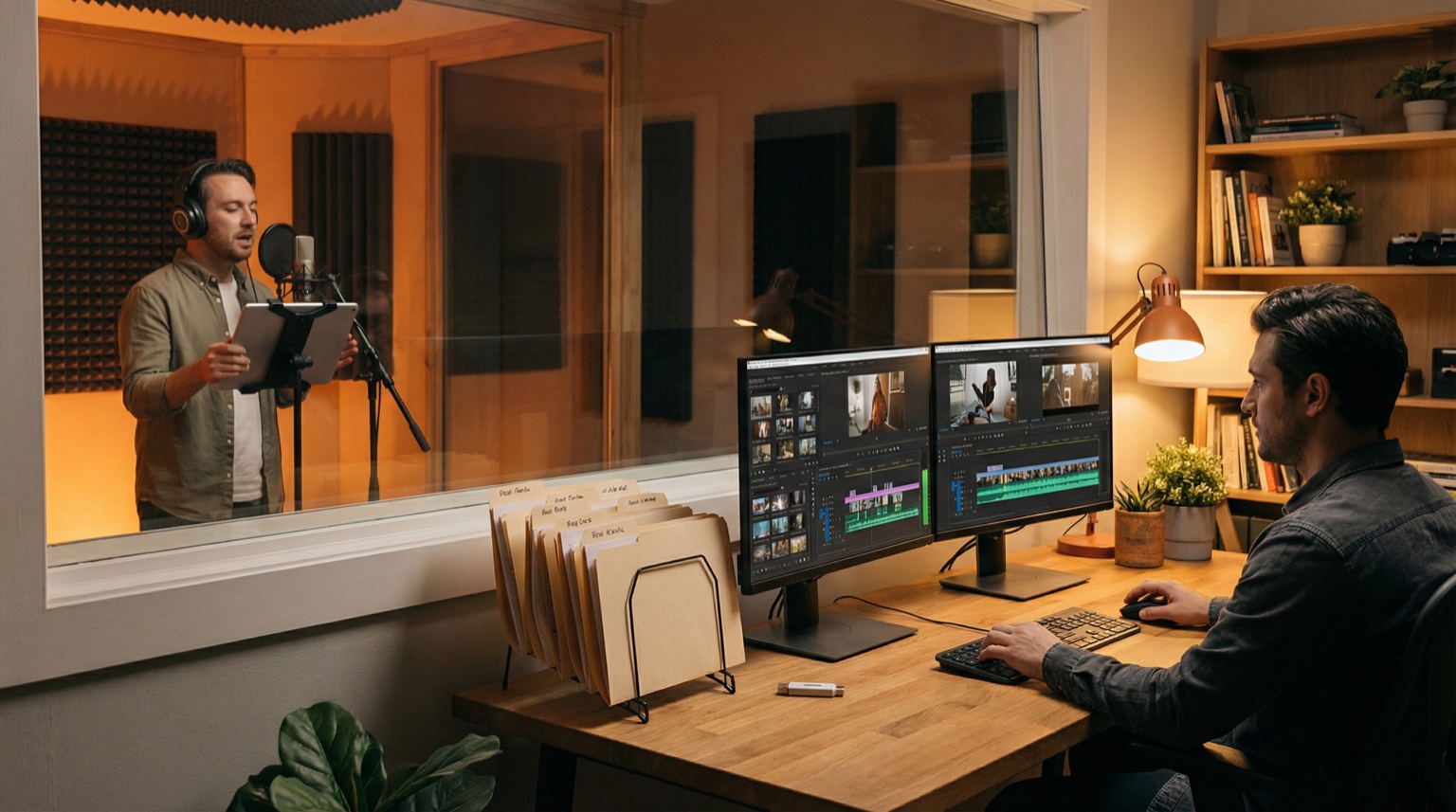
Voice-over for corporate video is a production component with a clear workflow: from decision (internal or external voice) through recording and revision cycles to delivery. The right process reduces delays and confusion in your edit suite.
What it is
Voice-over for corporate video is the narration track that carries your message. It's not background music or ambient sound—it's speech that usually demands exact sync to picture, clear pacing, and usable file formats.
When you order voice-over, you're managing three parallel tracks: the creative direction (what it should sound like), the technical spec (what format and quality), and the logistics (timeline, versions, file names). All three matter equally. Miss one and you'll either have to re-record or patch problems in post-production.
How it works
The ordering process for corporate video voice-over typically follows this sequence:
1. Decide: Internal or external voice
Internal voice (someone from your organization) is faster and cheaper upfront. External voice (a professional narrator) is consistent, scalable, and survives staff changes.
Which makes sense depends on your setup:
-
Internal voice works when: you have someone who can read naturally, has availability for retakes, and your brand benefits from an "authentic" company voice. Common in smaller organizations and startup communication.
-
External voice works when: you need the same voice across multiple projects, you can't sacrifice production time to retakes, or you need a voice that's neutral enough for international use. Most production environments operate this way.
Once you pick one, the workflow changes. Internal voice means coordinating with another department. External means ordering from someone who handles iterations as part of the service.
2. Brief and script. Your script is the foundation. A script without a clear purpose becomes generic narration, and generic narration sounds promotional. Before you record anything, you need:
- Purpose: What should the viewer understand or do after 60 seconds?
- Audience: Are you speaking to employees, customers, partners, or investors?
- Tone reference: Examples of how you want it to sound. Not adjectives like "warm" or "professional," but actual video clips or comparable narration.
- Pronunciation notes: Product names, place names, internal terms that might be mispronounced.
- Script version: Label it clearly (v1, v2, etc.) so you know what's being recorded.
If you're using an external voice-over artist, share this brief before they record. This prevents the most common issue: getting back a good recording that simply doesn't match what you imagined.
3. First recording and revision rounds. Most projects aren't approved in a single take. You'll get back a recording, listen for pacing, emphasis, or clarity issues, and request revisions.
Standard revisions include:
- Different emphasis: same script, different stress on certain words
- Pacing: faster or slower tempo overall
- Retakes on specific lines: a sentence didn't land right
- Alternative readings: two takes on the same script so you can choose in edit
If you're working with an external voice-over provider, specify which revisions are "included" and which are "billable changes." Scope creep on revisions will delay your timeline.
4. File delivery and technical handoff. This is where many projects encounter unnecessary friction. Your editor needs files that:
- Are in the right format (WAV, not MP3)
- Are at the right sample rate (usually 48 kHz for video)
- Have clear file names that match your script and edit timeline
- Are labeled correctly so you know which version is which
A delivery should look something like:
ACME_Corporate_Film_SE_v3_VO_Clean_v01.wav(main narration track)ACME_Corporate_Film_SE_v3_VO_Alt_v01.wav(alternative emphasis, if provided)- A reference MP3 if you want quick listening without large files
Your editor shouldn't have to guess. Unclear file names and missing metadata cause delays and reruns.
5. Updates and re-records. Corporate videos often get multiple lives: web, internal, social, different regions. You might need:
- The same voice with a different script section
- The entire track re-recorded after script changes
- A version for a different language (if you need the same voice talent)
Plan for this from the start. If you're using an external voice-over artist, confirm upfront: "We may need pickups or full re-records in six months. Do you retain the project files?" This prevents the situation where you have to re-record everything from scratch.
When it matters
Voice-over ordering process becomes critical when:
-
You're on deadline. Clear briefs and specs reduce revision cycles. A vague brief can turn a one-day job into a week-long negotiation.
-
You have multiple versions or languages. Without a clear naming convention, you'll mix up which file is which. Multiply that problem across Swedish and English versions, or web and broadcast variants.
-
Your organization is distributed. If your script team, approval chain, and video editor are in different locations or time zones, you need written documentation. Miscommunication grows exponentially.
-
The voice-over needs to be updated without re-recording. If you can receive a clean delivery (narration without music or effects baked in), your editor can adjust pacing, volume, or placement without looping back to the voice talent.
-
You plan to reuse the voice. Once you've found a voice that works, you want consistency. That's easier with an external provider than with an internal voice that might leave the organization or become unavailable.
What you should do
Process checklist for ordering voice-over for corporate video:
1. Decision phase
- Decide: internal or external voice? Document the reason (timeline, consistency, budget, control).
- If external: research voice-over providers who have corporate experience and can handle revisions.
- If internal: confirm availability, schedule recording time, and set a realistic revision window.
2. Brief phase
- Write your script. Keep sentences short. Read it aloud.
- Create a brief that includes: purpose, target audience, tempo/tone reference, pronunciation notes, script version label.
- If using external voice-over: send the brief before the quote so expectations align.
3. Recording phase
- Specify delivery format upfront: "WAV mono, 48 kHz/24-bit, clean delivery + MP3 reference."
- Specify versions: "v01 is the main take, v02 is an alternative emphasis on the following lines…"
- Label everything in the order.
4. Review and revision
- Set a revision window (e.g., "two rounds of revisions included").
- Be specific in revision requests. Not "make it sound better," but "slower tempo on the first 30 seconds" or "less emphasis on the word 'innovation.'"
5. Delivery and handoff
- Require clear file names: project, language, script version, voice talent name, type (clean/alt/pickup), version number.
- Confirm technical specs on delivery: format, sample rate, channels, that nothing clips, and that file names match the script.
- Store files in a version-controlled location (shared drive, project folder) so your editor knows which files are current.
6. Plan for updates
- Archive the project files if using an external voice-over artist. If you need pickups or re-records later, you'll want the original recordings and settings.
- Document the brief and any tone preferences for future reference.
Conclusion
Ordering voice-over for corporate video is straightforward once you separate the decision (internal vs external), the creative direction (brief and script), the technical spec (file format and naming), and the logistics (timeline and versions). Most delays happen not because recording takes long—it usually takes a day or two—but because expectations are unclear or files arrive without the documentation your editor needs.
Invest upfront in a clear brief, write a tight script, and specify technical requirements before recording starts. That workflow removes surprises later and keeps your project on schedule.
Learn more about how I work with corporate voice over -- process, delivery and what is included.
For a detailed guide on how to write the script itself and brief for tone, see voice-over for corporate film: tone and script. For technical file delivery specifics, see voice-over file format: WAV mono 48 kHz/24-bit.
FAQ
Should we use an internal voice or an external voice-over artist?
Internal voice works if someone trustworthy can read naturally and has time for retakes. External works better when you need consistent quality across multiple projects, you can't spare internal resources, or you need a voice that's neutral enough for wider use. For most organizations, external voice-over is faster and reduces internal coordination overhead.
How long does voice-over recording take for a corporate video?
Once the script is final and the brief is clear, usually one to two business days for the first delivery. Delays usually come from late script changes, unclear pronunciation notes, or multiple revision rounds. Set a revision window upfront so everyone knows when the job is done.
What should I specify in a voice-over order to avoid problems?
Include: final script (with version label), intended length, purpose/audience, tone reference (examples of how it should sound), pronunciation notes for specific words, delivery format (WAV 48 kHz/24-bit mono + MP3 reference), which revisions are included, and file naming convention.
Can we make quick edits to the voice-over file ourselves?
Only if you receive a clean delivery (just narration, no music or effects). Then your video editor can adjust timing, volume or placement. If you receive a "finished" or processed version, edits become problematic because you're working with already-compressed audio.
What happens if we need to update the voice-over later?
If using an external voice-over artist, ask upfront if they archive project files so you can do pickups or re-records later. If using internal voice, store recordings and keep the original speaker available for updates. Updates are much faster if you can reference the original recordings.
How do we avoid confusion between multiple versions or language versions?
Use a consistent file naming convention: project name, language, script version, voice talent name, type (clean/alt/pickup), version number. Example: ACME_Film_SE_v3_VoiceTalent_Clean_v01.wav. Store all files in one location with clear version labels.
Read more: